- Sampler & vocoder
- Adding samples via Wooveconnect
- Levels, VU Metering & monitoring
- Sampling sounds from the audio input
- Skip-back sampling (resampling)
- Vocoder
- Working with slices
- Auto-slicing
- Real-time pitch and time warping
- Amen chop tutorial
- Multi-sampled instruments and percussion
- Using the two sample banks
- Using samples and kits in your songs
- Using single-cycle AKWF samples
- Using Amiga Tracker samples
- Using Teenage Engineering OP-1 / OP-Z sample kits
- Kit and/or master sample initialization
- Backing up sample kits
- Auto-space reclaimer
- Limitations
- Amen chop tutorial
- Create and apply sample kit patch
Create and apply sample kit patch
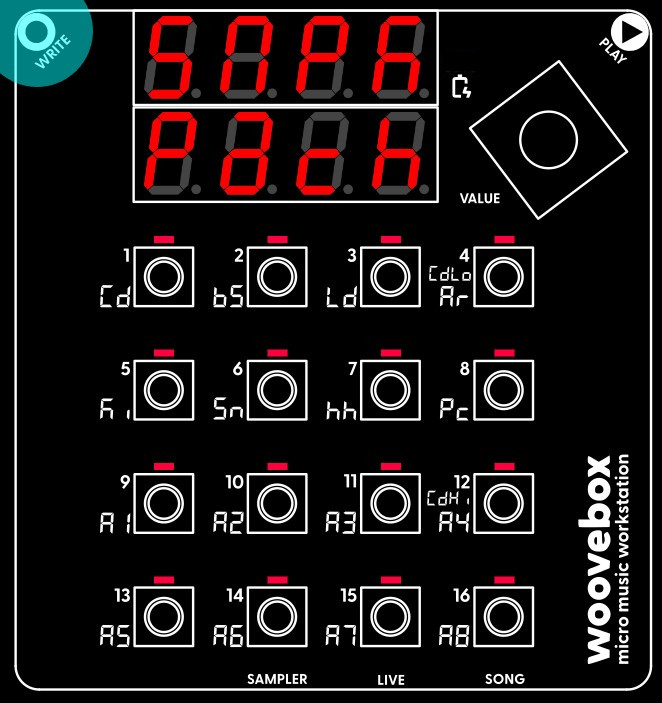
Creating a patch out of your sample kit for applying to a track is very easy. Select and action the "make sample kit patch" functionality ("Pach Kit") from the context menu. This creates a patch and puts it into the patch buffer (the same buffer that is used to copy and paste patches between tracks and songs).
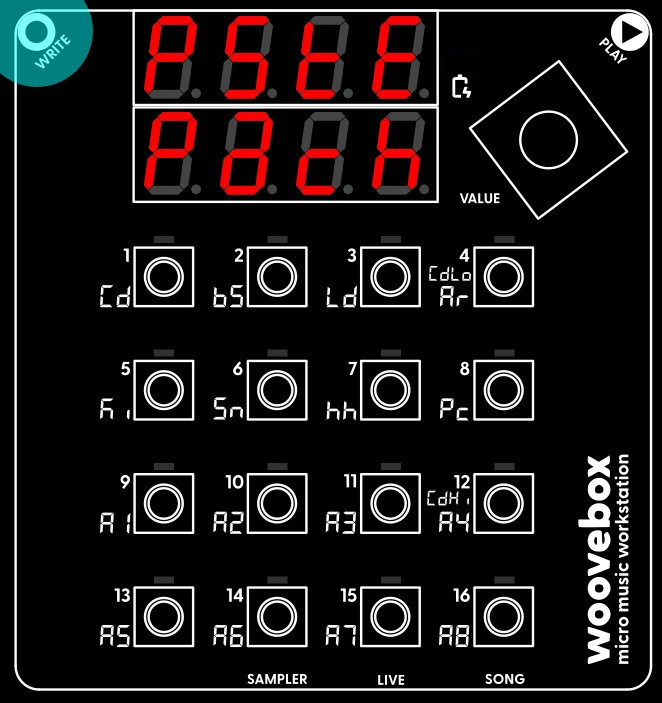
To apply it, switch to the track you wish to have your brand new sample kit on. For your convenience, the track will already scroll to the "Pach" page. From here, simply select and action the "paste patch" ("PStE Pach") function from the context menu. Your kit is now ready to be used.
You may also be interested in...
- Launch Wooveconnect
Manage songs, samples, audio stems, firmware updates and more through Wooveconnect.
- 11. d.V.St Drone Pitch Start (under DJ page)
Pitch of the drone (sine wave) tone at the start of the fragment in MIDI semitones.
- Switch to the chord track (under Quick start tutorial)
Just like we did for the kick drum, hold the value button and short-press the 1/Cd button to switch to the chord (Cd) track.
- Stability vs speed (under Wooveconnect)
- 3. ScaL song scale, tonality or mode (under Glob (song globals) page)
- Sampler & vocoder
- Adding samples via Wooveconnect
- Levels, VU Metering & monitoring
- Sampling sounds from the audio input
- Skip-back sampling (resampling)
- Vocoder
- Working with slices
- Auto-slicing
- Real-time pitch and time warping
- Amen chop tutorial
- Multi-sampled instruments and percussion
- Using the two sample banks
- Using samples and kits in your songs
- Using single-cycle AKWF samples
- Using Amiga Tracker samples
- Using Teenage Engineering OP-1 / OP-Z sample kits
- Kit and/or master sample initialization
- Backing up sample kits
- Auto-space reclaimer
- Limitations